

How to Assign A Project
Please Note: The following points are for Partial Users i.e. members who do not have Admin Access
1. Assign Project To Yourself ("You")
When creating a project, if you assign the project to yourself, you will be the "Owner" of the project and will have the liberty to:
- Add Other Team Members anytime by going on Project Members.
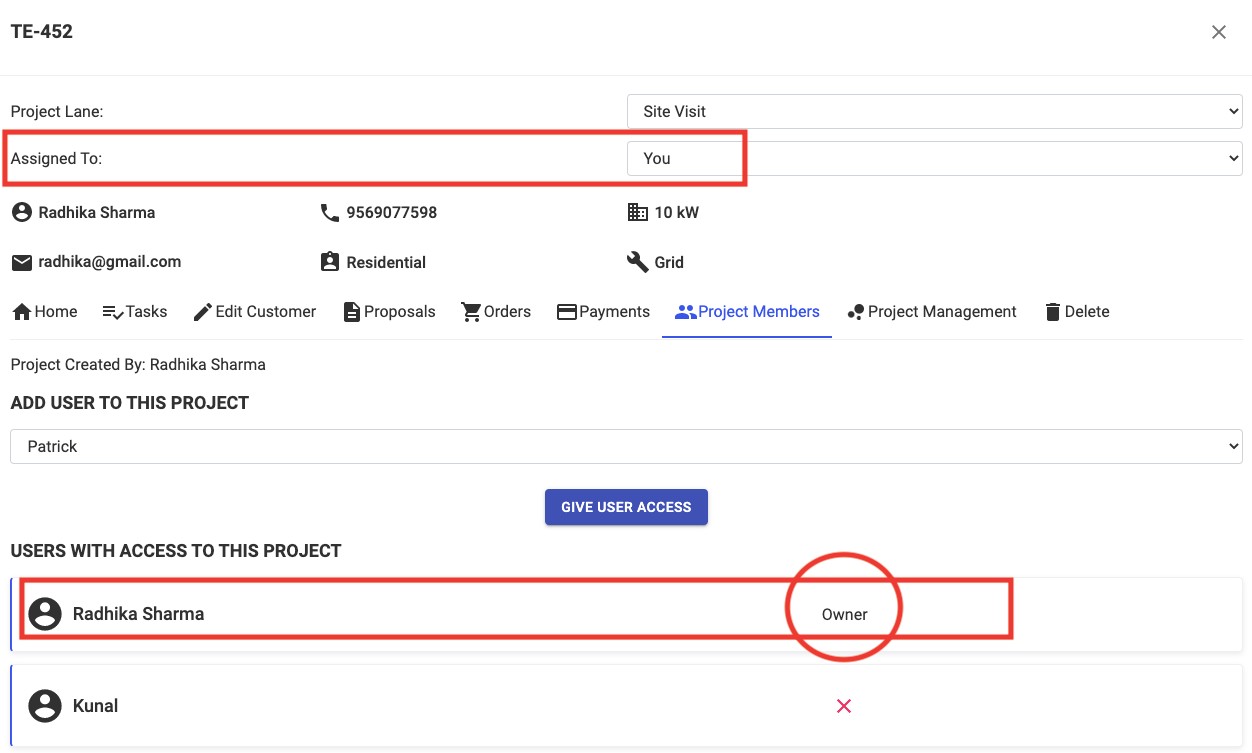
- Assign it to someone else in the team anytime later. By doing this, you will no longer be the Owner of the project but just be a project member and will no longer have the liberty to add other members. You will still be a part of that project throughout its course.
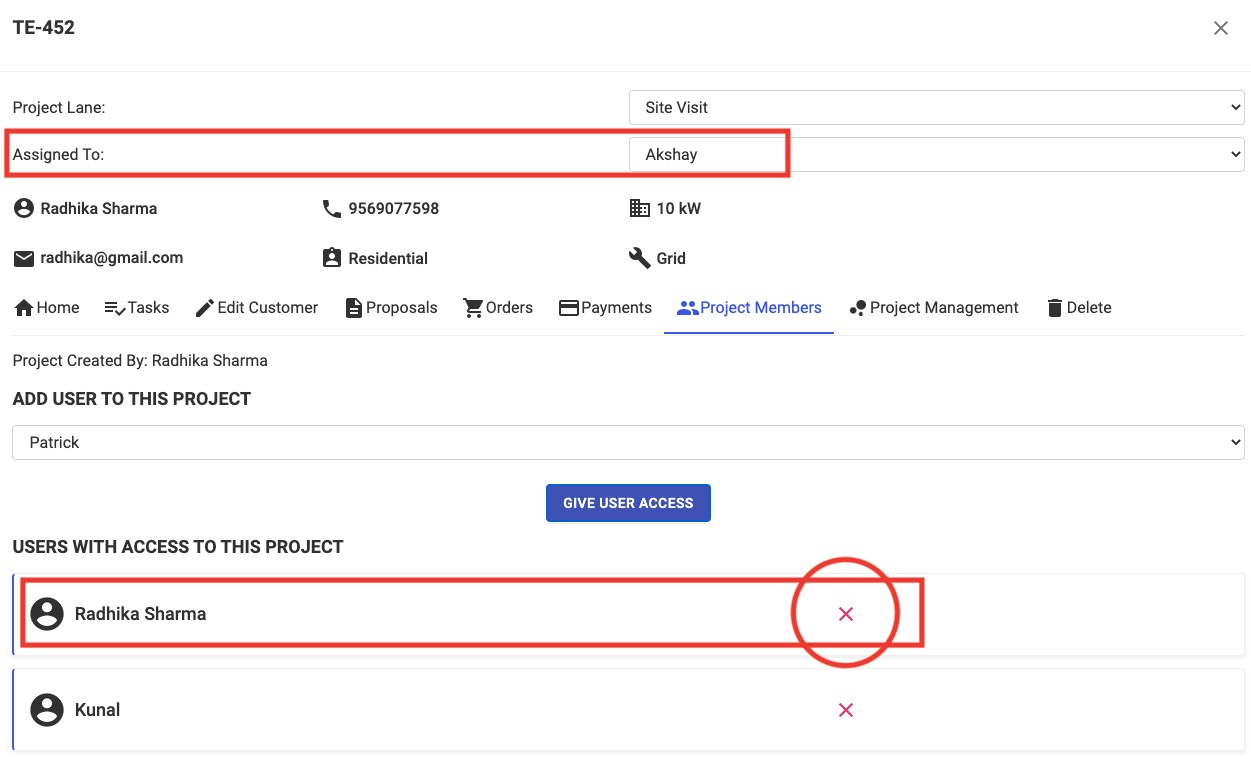
2. Assign the Project to Another Team Member
If while creating a new project, you assign the project directly to someone else, you will no longer have access to that project and will not be able to see that particular project on your dashboard.
TIP:
If you want to be just a project member and not the owner, you can first assign the project to yourself while creating it and then open it on dashboard and assign it to someone else. This will allow you to be a project member in the project.