

How to Update Progress of Tasks/Sub-Tasks
There are now two type of Task/Sub-Task status available:
- Percentage % - Allows a task/sub-task to be updated as 25%, 50%, 75% and 100% complete
- Number - Allows you to define the range in which tasks can be completed e.g. 20 modules out of 150 modules have been installed
1. How to update using Percentage %
Note: Percentage % Status is the default option
Step 1: Select percentage of update
You have two options
Option a: Quick Update Option: Click on the % sign and a drop-down will appear
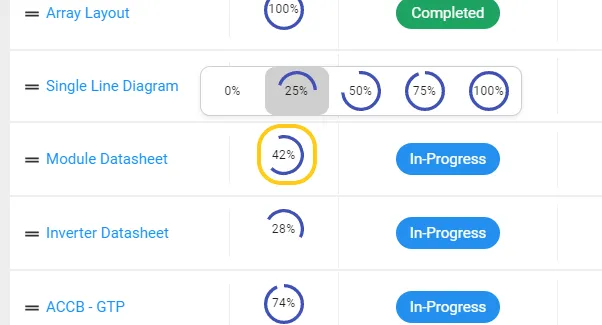
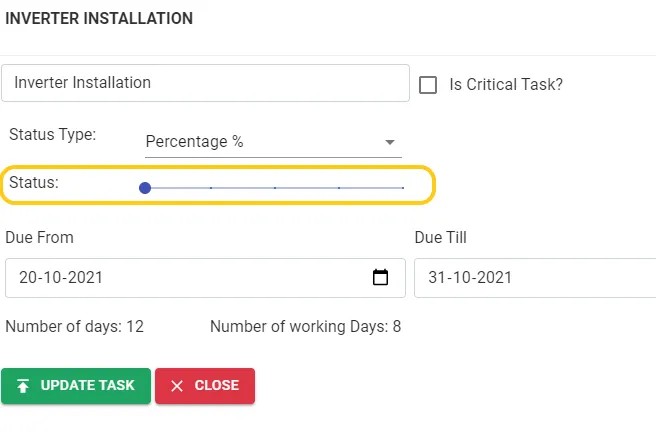
Option b: Use the Slider to decide the progress: Click on any task and use the slider to select progress (click on any task to see this window)
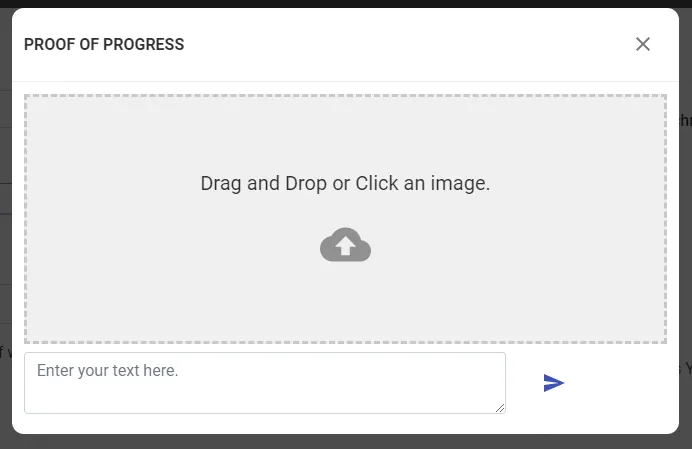
Step 2: A pop-up will appear, Enter any proof of progress image or text and click send.
2. How to update using Number
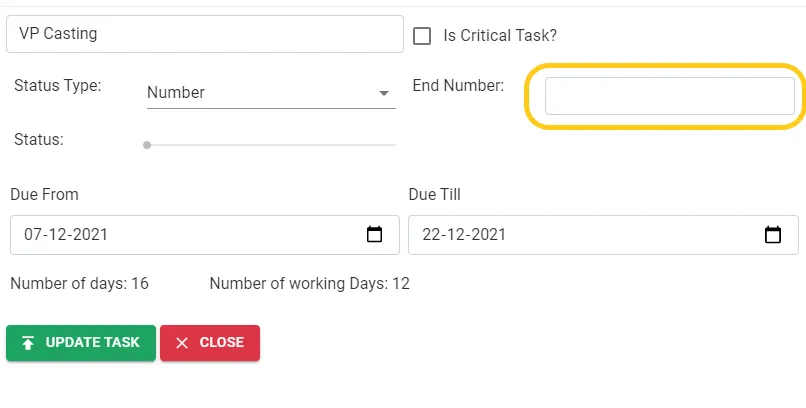
Step 1: Click on any Task/subtask and select Number
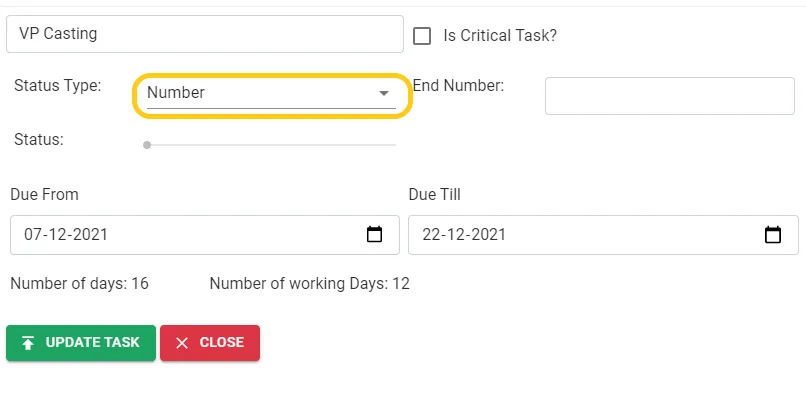
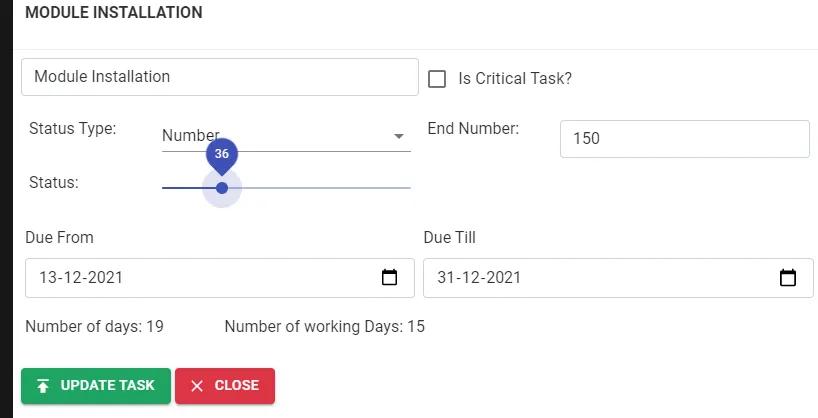
Step 2: Enter the max range of the status e.g. 150 if 150 modules have to be installed
Step 3: Use the slider to select the progress of the status e.g. 36 of 150 modules was installed
Step 4: A pop-up will appear, Enter any proof of progress image or text and click send.