

How to Make Custom Site Survey Form
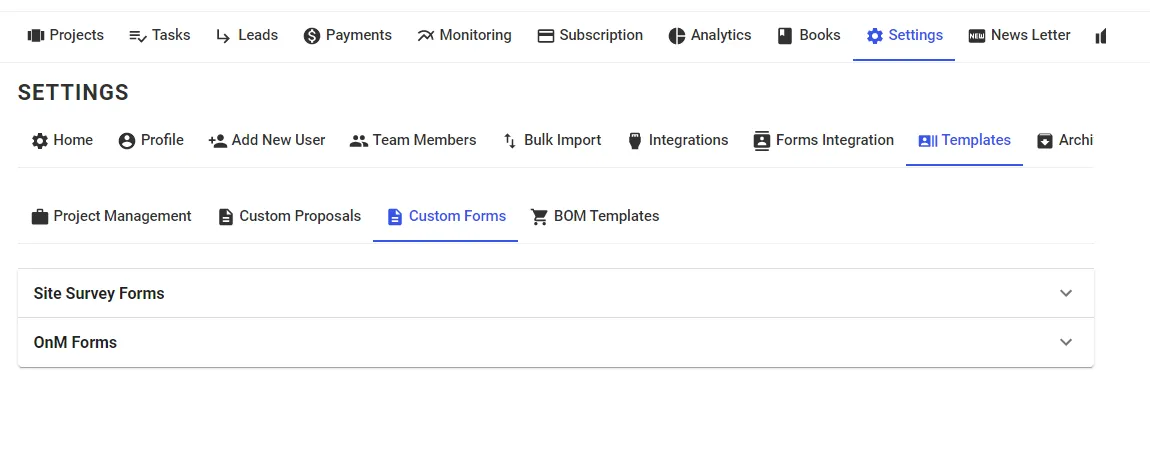
Step 1: Go to Settings --> Templates --> Custom Forms
Step 2: Click on New Template and a Form Called Untitled Form will be created. Click on it.
Step 3: Select Fields on the Left according to the form you want
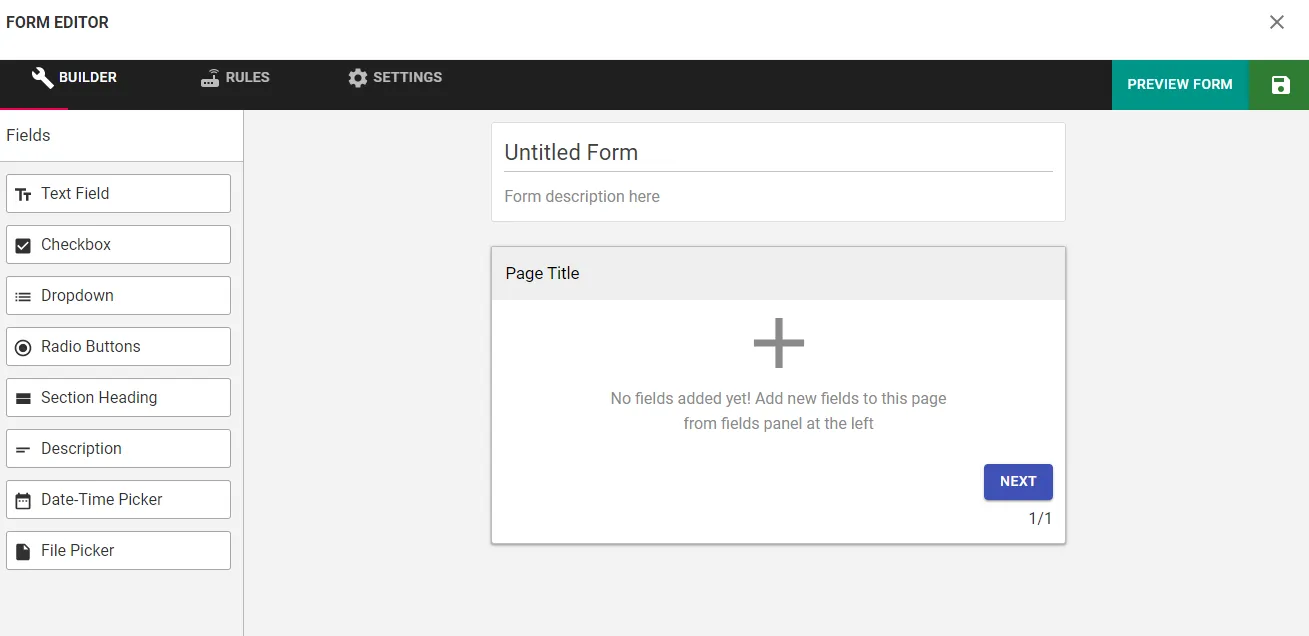
Step 4: Click on the Save icon on Top Right to save the Form
Tips:
- Any field can be made compulsory by clicking on the Field and Making the Validation as Required.
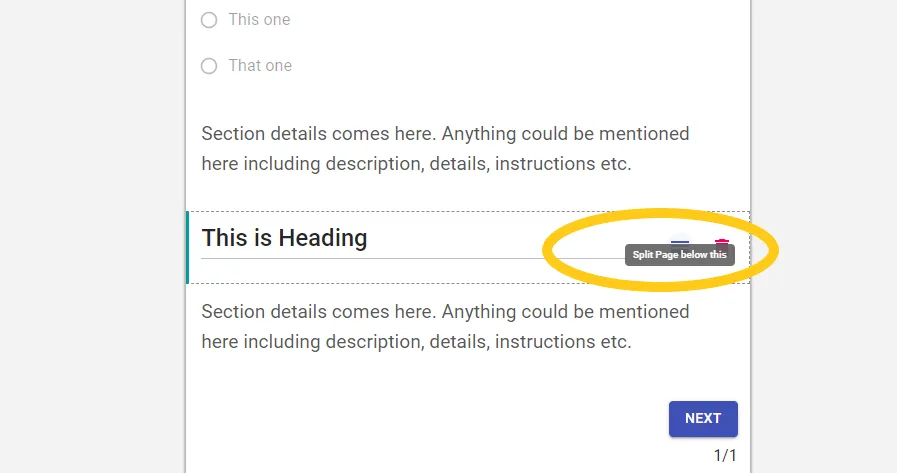
- You can create a form with multiple pages by Splitting the form. Click on Split Icon that appears when hovering over a Field.
Share This Blog Post: