

How to Duplicate a Category in Project Management
Step 1: Open the concerned project
Step 2: Go to Project Management Tab

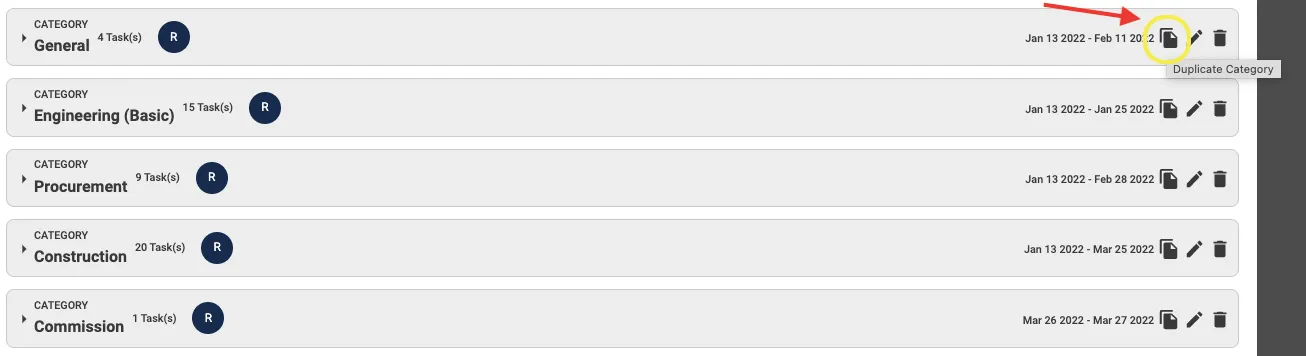
Step 3: Click on "Duplicate Category Icon"
Step 4: Click "Ok"

A duplicate category will be created consisting of all tasks and sub-tasks as in the original category
Share This Blog Post: