

How to Check O&M Schedule of a Project
Step 1: Open the link: ompartners.solarladder.com
Step 2: Login via OTP by using your Phone Number (Having difficulty Logining In? Click Here)
Once you have logged into your account,
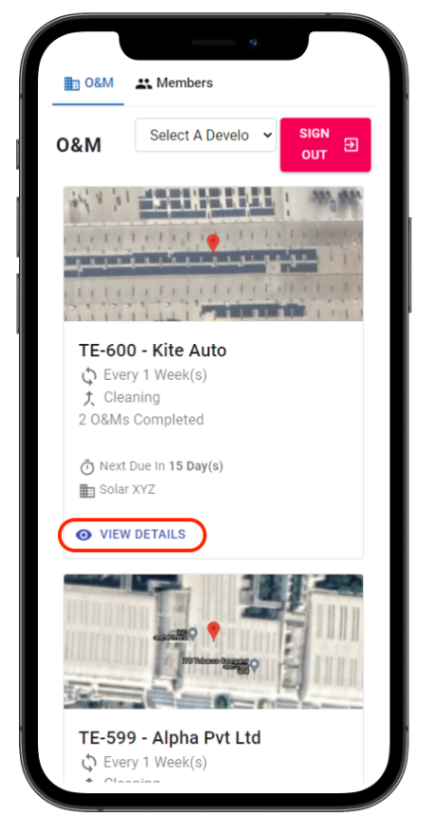
Step 3: Click on "View Details" of the project you want to check the schedule for
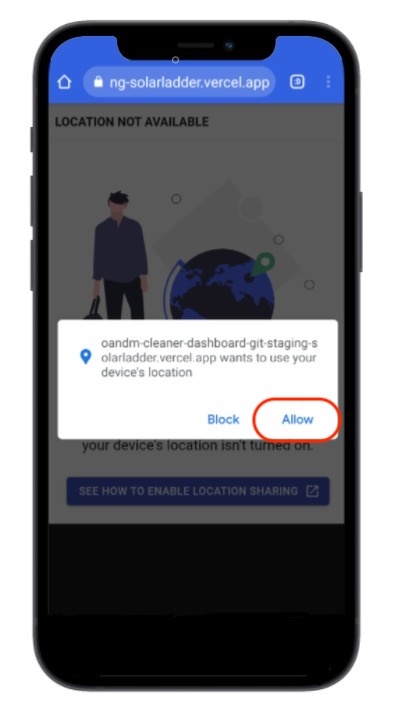
Step 4: Allow Solar Ladder to use your Location
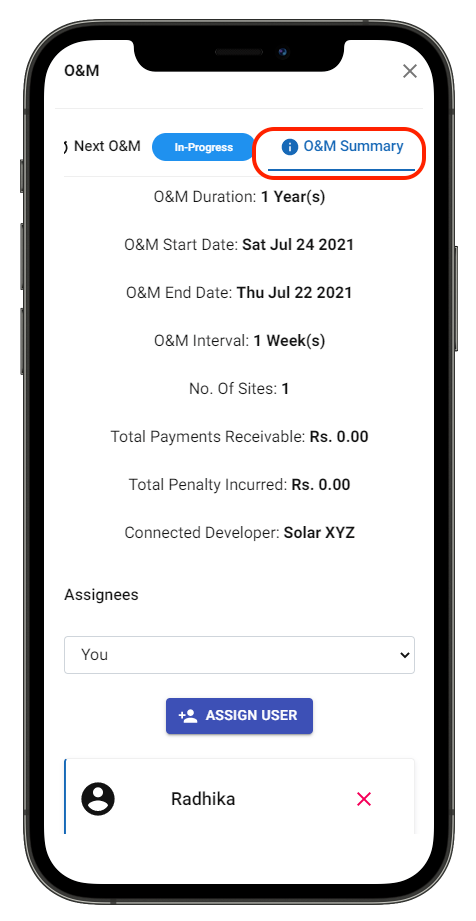
Step 5: Go to "O&M Summary" Tab and Scroll Down
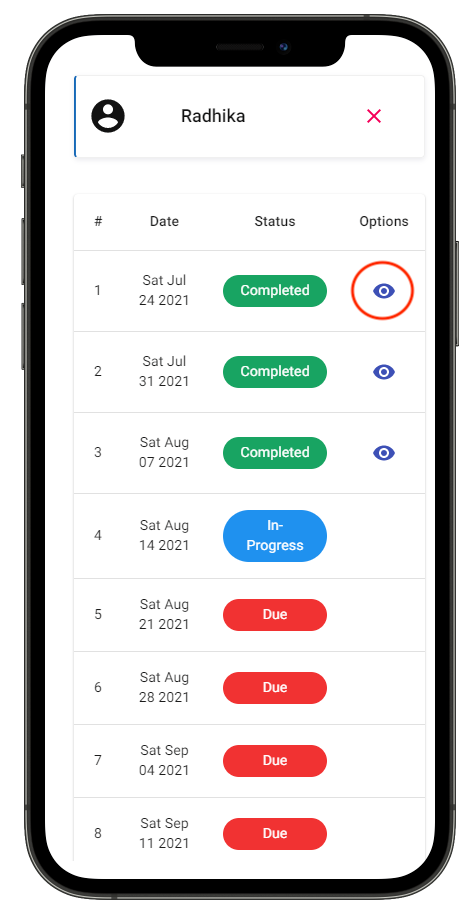
Step 6: Find Details of each all O&M Visits scheduled
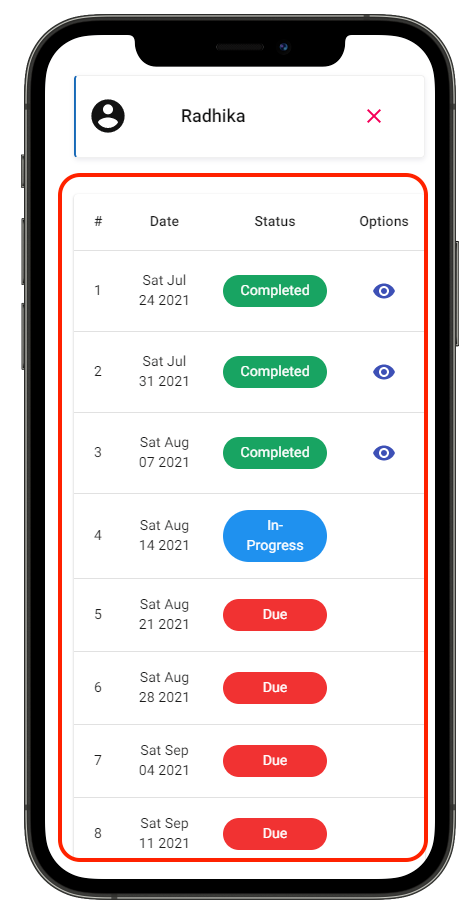
Step 7: Click on "Eye Icon" to view photos and notes of completed O&M Visits
Share This Blog Post: