

How to Change Logo
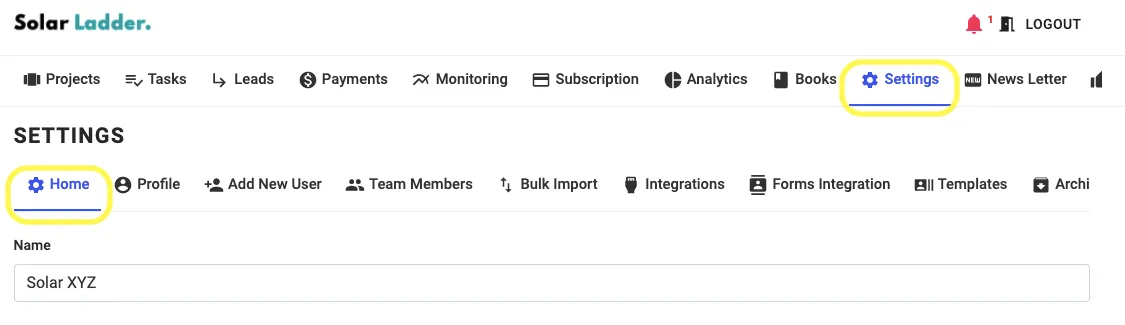
Step 1: Go to Settings Tab and Click on Home
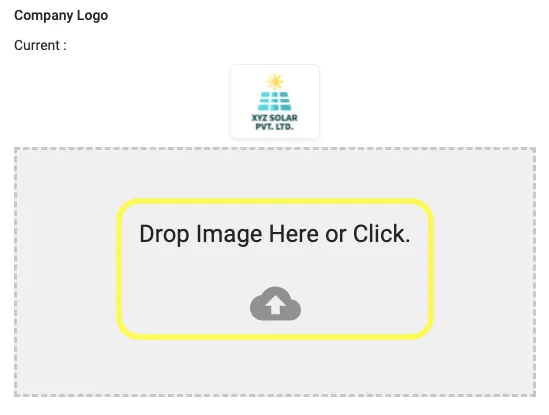
Step 2: Go to Company Logo and Drop Image/Click on the box to upload logo
Step 3: Click on Update Settings to save the changes

Share This Blog Post:
Step 1: Go to Settings Tab and Click on Home
Step 2: Go to Company Logo and Drop Image/Click on the box to upload logo
Step 3: Click on Update Settings to save the changes