
How to Download Custom Proposal
Custom Proposal can be downloaded from Laptop/Desktop or Mobile very simply.
On Laptop/Desktop
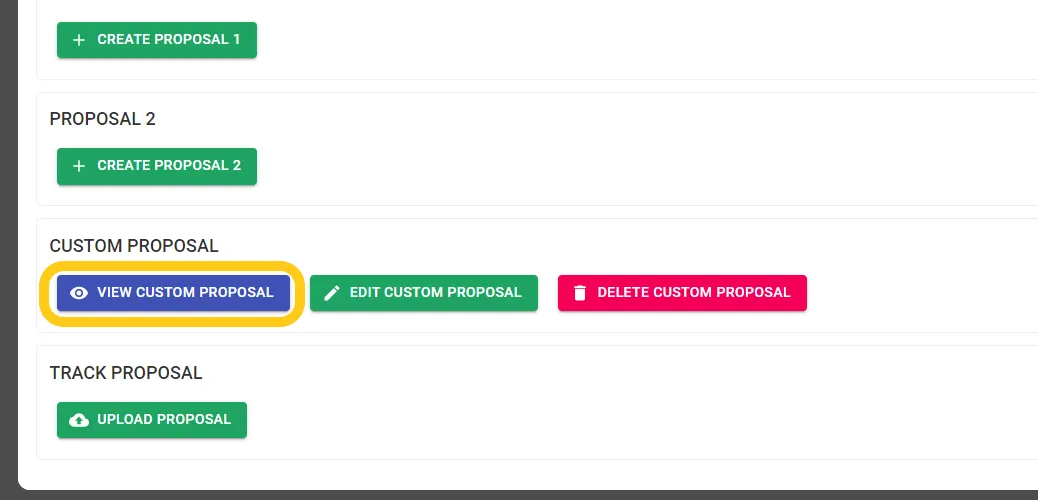
Step 1: Click on View Custom Proposal
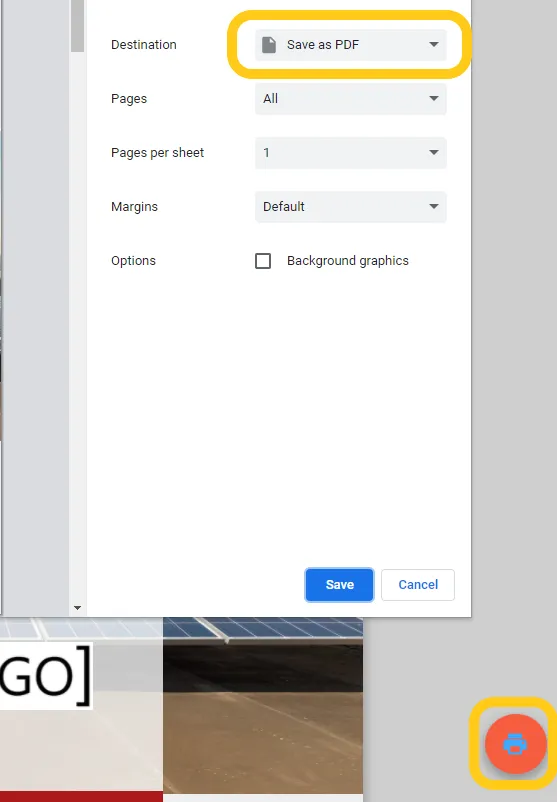
Step 2: Click on the Print Option at the bottom right of the Page and a Pop Up will appear. You can select Save As PDF and Click Save
Important: Make sure the size is A4 size if there is an option
Share This Blog Post: